

Fast dice rolling
Switch between one-die and two-dice modes quickly and get animated results without extra setup.

Utilities
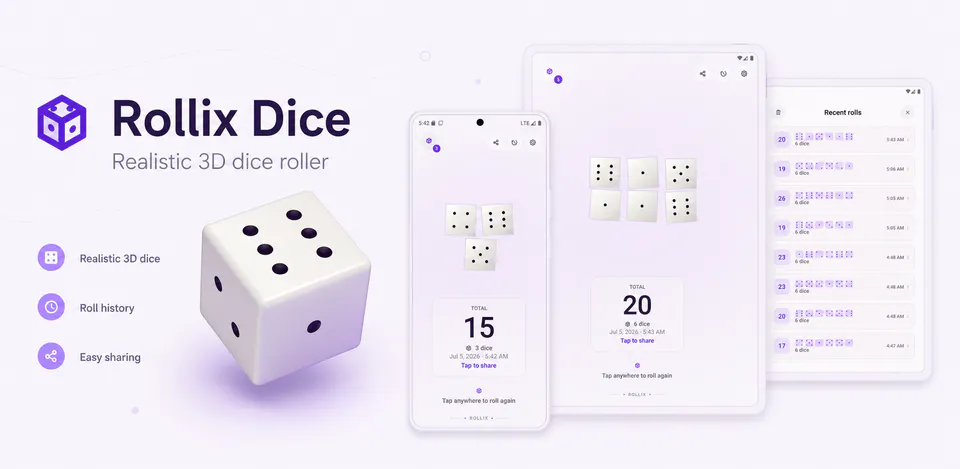
Rollix Dice is built for people who want a simple dice tool that still feels polished. It combines fast rolling, tactile feedback, theme preferences, and lightweight history so game-night decisions and everyday random picks feel clean and satisfying on mobile.
Why Rollix Dice
Switch between one-die and two-dice modes quickly and get animated results without extra setup.
Optional sound effects, vibration feedback, and theme preference controls help the app feel more personal on repeat use.
Keep a short recent-roll list on the device so you can glance back at the latest outcomes during a session.
A modern dice utility with one-die and two-dice modes, optional sound and haptics, and local recent-roll history.

Android workflow
Open the app, choose one die or two dice, and keep board-game or tabletop sessions moving.
Rollix Dice screens


Rollix Dice quality
Switch between one-die and two-dice modes quickly and get animated results without extra setup.
Rollix Dice privacy
Rollix Dice has a dedicated policy describing local storage, permissions, online services, account features, and deletion controls that apply to the product.
What’s new
Rollix Dice updates and fixes are shared here when release notes are available.
View all updates arrow_forwardTechnical information
Need help?
Include your device model, Android version, app version, and screenshots when possible.
Open supportEmail supportMore apps you might like

A retail catalog and inventory app for Jeaneth Store with customer browsing, cart flows, admin orders, and stock control.

A local Android sound toolkit for playback enhancement, equalizer presets, speaker checks, and private audio tests.

A precise Android metronome for tempo practice, tap tempo, beat setup, and background playback.