
Compress images and PDFs on the device
Choose JPG, PNG, WebP, HEIC, or PDF files through Android document pickers and target smaller output sizes through local processing.

Files
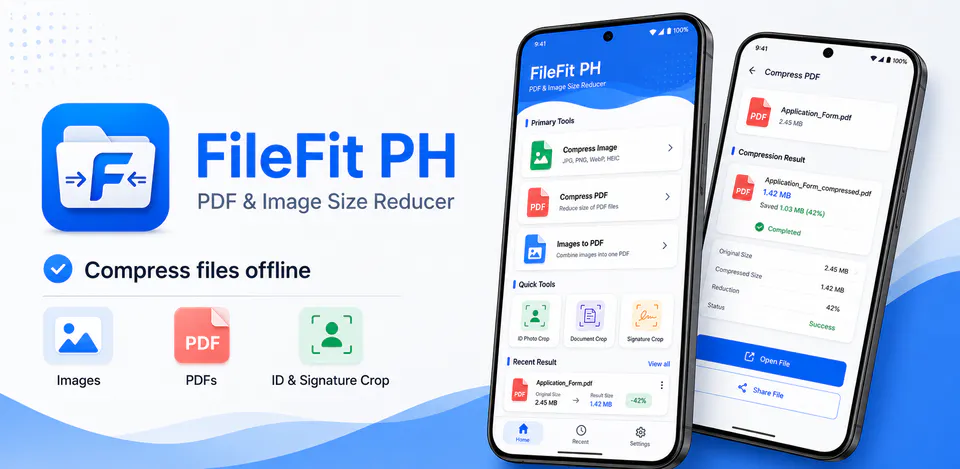
FileFit PH is built for people who need to reduce, convert, and prepare files on Android without sending documents through a cloud workflow. The reviewed project centers on local image compression, PDF compression, image-to-PDF creation, ID/document/signature crop tools, local output saving, and Android share-sheet handoff.
Why FileFit PH
Choose JPG, PNG, WebP, HEIC, or PDF files through Android document pickers and target smaller output sizes through local processing.
Combine multiple images into a PDF, crop ID photos, documents, and signatures, and use lightweight image editing controls before saving.
Use Android save dialogs, folder selection, cache-backed output files, and FileProvider sharing so completed files stay under user and device control.
An offline PDF and image size reducer with compression, image-to-PDF conversion, crop tools, local saving, and share-sheet output.

Android workflow
Open FileFit PH to jump into image compression, PDF compression, image-to-PDF creation, or quick crop utilities from one focused home screen.
FileFit PH screens


FileFit PH quality
Choose JPG, PNG, WebP, HEIC, or PDF files through Android document pickers and target smaller output sizes through local processing.
FileFit PH privacy
FileFit PH has a dedicated policy describing local storage, permissions, online services, account features, and deletion controls that apply to the product.
What’s new
FileFit PH updates and fixes are shared here when release notes are available.
View all updates arrow_forwardTechnical information
Need help?
Include your device model, Android version, app version, and screenshots when possible.
Open supportEmail supportMore apps you might like

A retail catalog and inventory app for Jeaneth Store with customer browsing, cart flows, admin orders, and stock control.

A local Android sound toolkit for playback enhancement, equalizer presets, speaker checks, and private audio tests.

A precise Android metronome for tempo practice, tap tempo, beat setup, and background playback.