
Browse a responsive local gallery
Move through photos and videos in a timeline, adjust grid density, select multiple items, and use phone or tablet navigation designed around the available screen size.

Photography
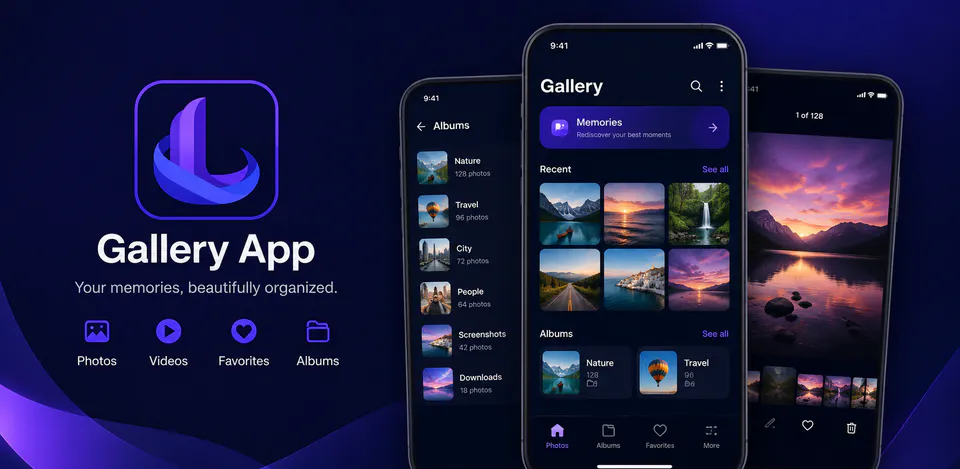
LumaNest is a local-first Android gallery for people who want a calm, polished way to browse and organize the photos and videos already on their device. It reads accessible media through Android MediaStore and brings timeline browsing, albums, filename and folder search, favorites, smart collections, storage insights, sharing, and a zoomable image viewer together without accounts, ads, analytics, cloud sync, or Internet permission.
Why LumaNest
Move through photos and videos in a timeline, adjust grid density, select multiple items, and use phone or tablet navigation designed around the available screen size.
Explore albums, search visible media by filename, folder, or type, and revisit favorites, videos, screenshots, recent items, and large files through smart local collections.
LumaNest has no Internet permission, developer account, cloud backend, ads, or analytics SDKs; accessible media and saved preferences stay on the device.
A polished offline gallery with timeline browsing, albums, local search, smart collections, favorites, sharing, storage insights, and a zoomable media viewer.

Android workflow
Open into a dark, media-first gallery with responsive grids, recent photos, albums, and quick access to the collections that matter most.
LumaNest screens


LumaNest quality
Move through photos and videos in a timeline, adjust grid density, select multiple items, and use phone or tablet navigation designed around the available screen size.
LumaNest privacy
LumaNest has a dedicated policy describing local storage, permissions, online services, account features, and deletion controls that apply to the product.
What’s new
LumaNest updates and fixes are shared here when release notes are available.
View all updates arrow_forwardTechnical information
Need help?
Include your device model, Android version, app version, and screenshots when possible.
Open supportEmail supportMore apps you might like

A retail catalog and inventory app for Jeaneth Store with customer browsing, cart flows, admin orders, and stock control.

A local Android sound toolkit for playback enhancement, equalizer presets, speaker checks, and private audio tests.

A precise Android metronome for tempo practice, tap tempo, beat setup, and background playback.