
Browse local photos and videos
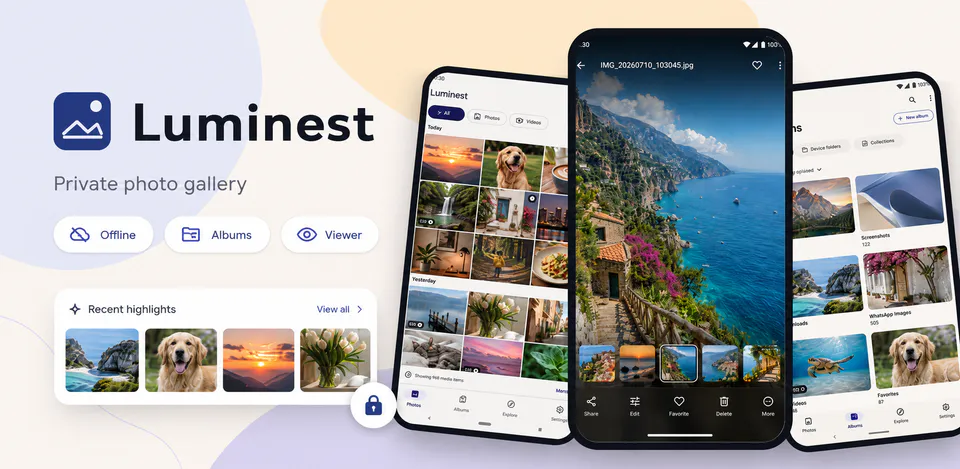
View accessible media in an adaptive timeline grid, switch density, open albums, and explore favorites, videos, screenshots, camera items, downloads, recent files, and large files.

Photography
Luminest is a local-first Android gallery for browsing and managing photos and videos already available on your device. It uses Android media permissions and MediaStore to show timeline grids, albums, explore collections, search results, full-screen image viewing, video playback, selection actions, sharing, hidden items, trash-style review screens, and storage details without an account, upload service, ads, analytics, tracking, advertising ID, or Internet permission.
Why Luminest
View accessible media in an adaptive timeline grid, switch density, open albums, and explore favorites, videos, screenshots, camera items, downloads, recent files, and large files.
Find media by local filename or album, open details, use full-screen photo viewing, play videos, select multiple items, and share through Android platform tools.
Luminest works without Internet permission, accounts, uploads, analytics, ads, tracking, or advertising ID; media access stays tied to Android permissions on the device.
A native Android gallery with MediaStore browsing, albums, explore collections, local search, full-screen viewing, video playback, selection tools, sharing, and no account, upload, ads, analytics, tracking, advertising ID, or Internet permission.

Android workflow
Recent photos and videos are grouped into a responsive gallery with selection states, video badges, favorites, and limited-access awareness.
Luminest screens


Luminest quality
View accessible media in an adaptive timeline grid, switch density, open albums, and explore favorites, videos, screenshots, camera items, downloads, recent files, and large files.
Luminest privacy
Luminest has a dedicated policy describing local storage, permissions, online services, account features, and deletion controls that apply to the product.
What’s new
Luminest updates and fixes are shared here when release notes are available.
View all updates arrow_forwardTechnical information
Need help?
Include your device model, Android version, app version, and screenshots when possible.
Open supportEmail supportMore apps you might like

A retail catalog and inventory app for Jeaneth Store with customer browsing, cart flows, admin orders, and stock control.

A local Android sound toolkit for playback enhancement, equalizer presets, speaker checks, and private audio tests.

A precise Android metronome for tempo practice, tap tempo, beat setup, and background playback.