
Control LED and screen light
Use the device flashlight where available, switch to full-screen color light, adjust brightness, choose warm or daylight presets, and set auto-off timing.

Utilities
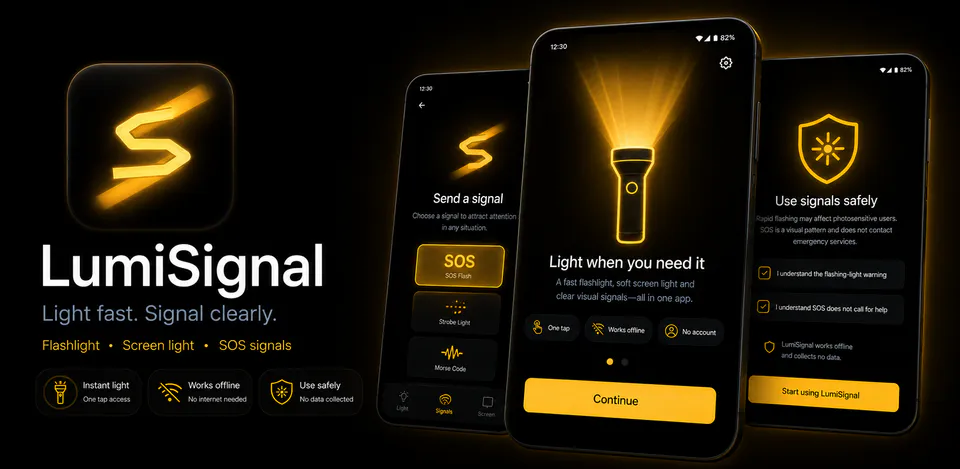
LumiSignal is a local Android light utility for everyday torch use, screen lighting, and emergency-style visual signals. It includes LED flashlight control, full-screen color light modes, SOS, beacon and strobe patterns, auto-off timers, brightness controls, Quick Settings tile support, a home-screen widget, launcher shortcuts, active-light notifications, safety warnings, haptics, and local preferences without ads, analytics, tracking, advertising ID, cloud services, or Internet permission.
Why LumiSignal
Use the device flashlight where available, switch to full-screen color light, adjust brightness, choose warm or daylight presets, and set auto-off timing.
Start SOS, beacon, or strobe flows with LED, screen, or both sources, plus photosensitivity warnings and signal auto-stop controls.
Quick Settings, widget, shortcuts, notification controls, settings, haptics, and onboarding state are stored or handled on-device with no Internet permission.
A native Android light utility with LED torch controls, full-screen color light, SOS, beacon and strobe modes, auto-off timers, Quick Settings tile, widget, active notification, haptics, and no ads, analytics, tracking, advertising ID, or Internet permission.

Android workflow
The torch screen shows active state, brightness, auto-off choices, and hardware fallback messaging when a device has no usable flash.
LumiSignal screens


LumiSignal quality
Use the device flashlight where available, switch to full-screen color light, adjust brightness, choose warm or daylight presets, and set auto-off timing.
LumiSignal privacy
LumiSignal has a dedicated policy describing local storage, permissions, online services, account features, and deletion controls that apply to the product.
What’s new
LumiSignal updates and fixes are shared here when release notes are available.
View all updates arrow_forwardTechnical information
Need help?
Include your device model, Android version, app version, and screenshots when possible.
Open supportEmail supportMore apps you might like

A retail catalog and inventory app for Jeaneth Store with customer browsing, cart flows, admin orders, and stock control.

A local Android sound toolkit for playback enhancement, equalizer presets, speaker checks, and private audio tests.

A precise Android metronome for tempo practice, tap tempo, beat setup, and background playback.