

Protected note space
Keep sensitive note content in a dedicated vault experience rather than mixing it with general note clutter.

Productivity
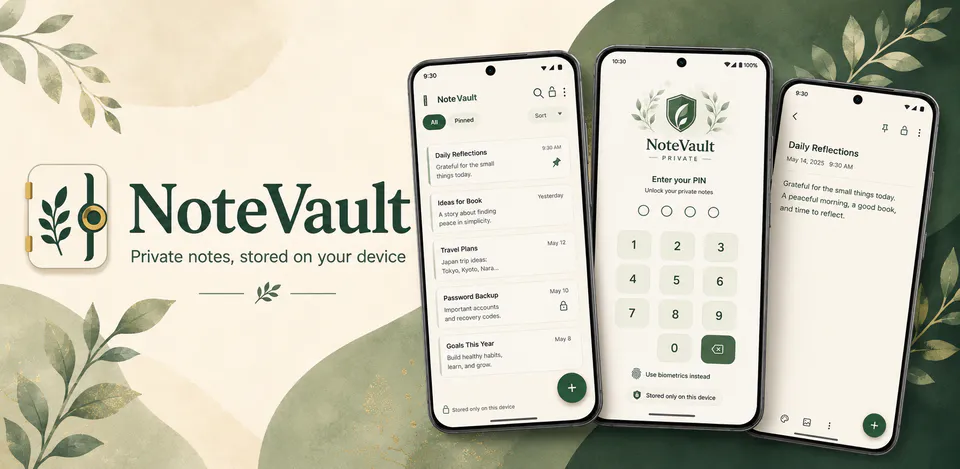
NoteVault is built for private note-taking with a stronger sense of ownership. It keeps notes on the device, supports PIN-based access, and is designed for people who want everyday note utility without a cloud-first workflow.
Why NoteVault
Keep sensitive note content in a dedicated vault experience rather than mixing it with general note clutter.
Notes, preferences, and vault behavior are designed around local storage instead of account-based sync.
PIN access, auto-lock behavior, and simple note management make the app feel dependable for repeat use.
A local-first note vault designed to keep note content on-device with PIN-based access control.

Android workflow
Use it for notes you want to keep separate from your broader productivity stack.
NoteVault screens


NoteVault quality
Keep sensitive note content in a dedicated vault experience rather than mixing it with general note clutter.
NoteVault privacy
NoteVault has a dedicated policy describing local storage, permissions, online services, account features, and deletion controls that apply to the product.
What’s new
NoteVault updates and fixes are shared here when release notes are available.
View all updates arrow_forwardTechnical information
Need help?
Include your device model, Android version, app version, and screenshots when possible.
Open supportEmail supportMore apps you might like

A retail catalog and inventory app for Jeaneth Store with customer browsing, cart flows, admin orders, and stock control.

A local Android sound toolkit for playback enhancement, equalizer presets, speaker checks, and private audio tests.

A precise Android metronome for tempo practice, tap tempo, beat setup, and background playback.