
Save receipts with the details that matter
Receipty is designed around receipt photos, store names, purchase dates, amounts, categories, and notes so small spending records stay easier to revisit later.

Finance
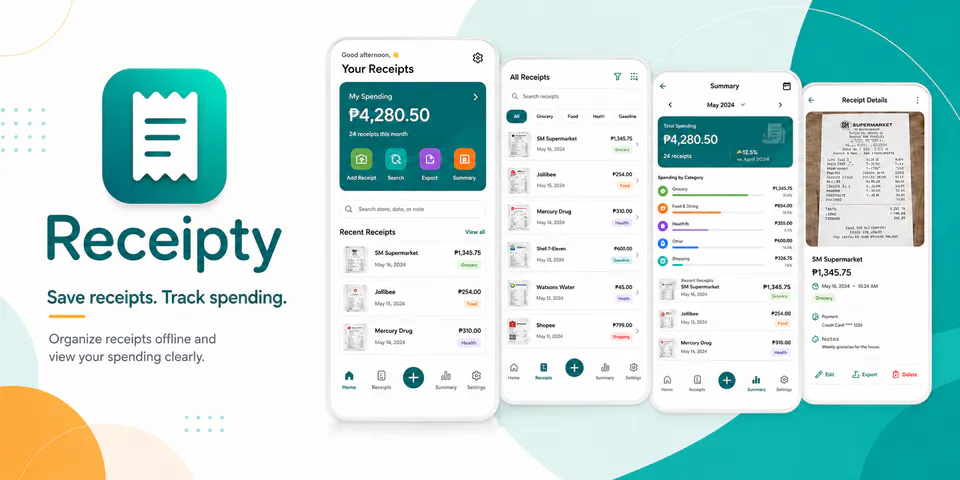
Receipty is built for the small purchases people forget about until they need proof, a budget check, or a reimbursement trail. It combines receipt photos, store and amount details, search, date and category filters, monthly spending summaries, and local image or PDF export in a lightweight offline recordkeeping flow.
Why Receipty
Receipty is designed around receipt photos, store names, purchase dates, amounts, categories, and notes so small spending records stay easier to revisit later.
Store filters, category filters, amount filters, date ranges, and sorting options are part of the product direction for finding older receipts more quickly.
Monthly totals, category breakdowns, recent receipt lists, and export-friendly summary screens help the app move beyond storage into lightweight spending review.
A local receipt tracker for saving receipt photos, searching purchases, and reviewing monthly spending without an account.

Android workflow
The add-receipt flow is meant to stay simple: choose an image, add the store, date, amount, and category, then move on.
Receipty screens


Receipty quality
Receipty is designed around receipt photos, store names, purchase dates, amounts, categories, and notes so small spending records stay easier to revisit later.
Receipty privacy
Receipty has a dedicated policy describing local storage, permissions, online services, account features, and deletion controls that apply to the product.
What’s new
Receipty updates and fixes are shared here when release notes are available.
View all updates arrow_forwardTechnical information
Need help?
Include your device model, Android version, app version, and screenshots when possible.
Open supportEmail supportMore apps you might like

A retail catalog and inventory app for Jeaneth Store with customer browsing, cart flows, admin orders, and stock control.

A local Android sound toolkit for playback enhancement, equalizer presets, speaker checks, and private audio tests.

A precise Android metronome for tempo practice, tap tempo, beat setup, and background playback.