
Track scores for real games
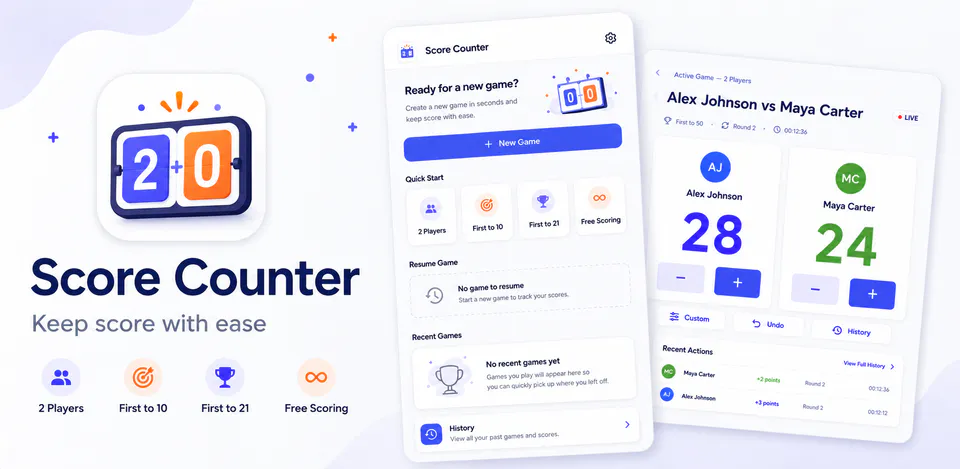
Create a game with two or more saved players, choose a target score, adjust points, undo recent changes, reset scores, and finish or abandon an active game when needed.

Games
Scoreora is a local-first score counter for games, practice sessions, tabletop play, and casual competitions. It includes reusable player profiles, active games with target scores, manual score adjustments, undo and reset controls, completed-game history, player statistics, theme preferences, haptic feedback settings, and local-only storage without accounts, advertising, analytics, or network permission.
Why Scoreora
Create a game with two or more saved players, choose a target score, adjust points, undo recent changes, reset scores, and finish or abandon an active game when needed.
Save reusable player names, colors, completed-game records, winners, scores, and basic statistics in app-private storage on the device.
Use light, dark, or system theme settings, haptic feedback, score-change confirmation, and a default target score to match how you keep score.
A local-first scorekeeping app with reusable player profiles, target-score games, score adjustments, undo support, game history, statistics, themes, and haptic preferences.

Android workflow
Start from reusable player profiles and set the winning score before the game begins.
Scoreora screens


Scoreora quality
Create a game with two or more saved players, choose a target score, adjust points, undo recent changes, reset scores, and finish or abandon an active game when needed.
Scoreora privacy
Scoreora has a dedicated policy describing local storage, permissions, online services, account features, and deletion controls that apply to the product.
What’s new
Scoreora updates and fixes are shared here when release notes are available.
View all updates arrow_forwardTechnical information
Need help?
Include your device model, Android version, app version, and screenshots when possible.
Open supportEmail supportMore apps you might like

A retail catalog and inventory app for Jeaneth Store with customer browsing, cart flows, admin orders, and stock control.

A local Android sound toolkit for playback enhancement, equalizer presets, speaker checks, and private audio tests.

A precise Android metronome for tempo practice, tap tempo, beat setup, and background playback.